HUD
Installation
Download
Download the resource and drop it into your resources folder
Ensure
Ensure or start the resource
Preview
Usage
Alert / Notification

These are informations about the parameters and arguments that can be used:
| Parameters | Available Arguments | ||||||||||||||||||||||||||||||||
|---|---|---|---|---|---|---|---|---|---|---|---|---|---|---|---|---|---|---|---|---|---|---|---|---|---|---|---|---|---|---|---|---|---|
|
|
Use alert from client side:
exports['bcs_hud']:SendAlert('Title', 'Your message here', 'error', 3000) -- Default is 'top-right'
exports['bcs_hud']:SendAlert('Title', 'Your message here', 'success', 3000, 'bottom-right')
Use alert from server side:
TriggerClientEvent('hud:SendAlert', source, 'Title', 'Your message here', 'success', 3000, 'bottom-right')Help Notification / Draw Text UI

| Parameters | Available Arguments | |||||||||
|---|---|---|---|---|---|---|---|---|---|---|
| | Positions | | ------------- | ------------- | ------------ | ------------ | | top-right | bottom-left | bottom-right | center-left | | top-left | bottom-center | top-center | center-right | |
Use help notification from client side:
exports['bcs_hud']:displayHelp('Press ~E~ to do something') -- default position top-left
exports['bcs_hud']:displayHelp('Press ~Abutton~ can be anything', 'center-right')
exports['bcs_hud']:closeHelp()
Use help notification from server side:
TriggerClientEvent('hud:displayHelp', source, 'Press ~TAB~ to do somethign', 'bottom-right')Example usage in a while true loop:
CreateThread(function()
    local hospital = vector3(341.0, -1397.3, 32.5)
    local shown = false
    while true do
        local sleep = 500
        local pedCoords = GetEntityCoords(PlayerPedId())
        local dist = #(pedCoords - hospital)
        if dist < 1.5 then
            sleep = 0
            if not shown then
                exports['bcs_hud']:displayHelp('Press ~E~ to do something')
                shown = true
            end
            if IsControlJustReleased(0,38) then
                -- do something
            end
        elseif shown then
            shown = false
            exports['bcs_hud']:closeHelp()
        end

        Wait(sleep)
    end
end)
Dialog / Confirmation
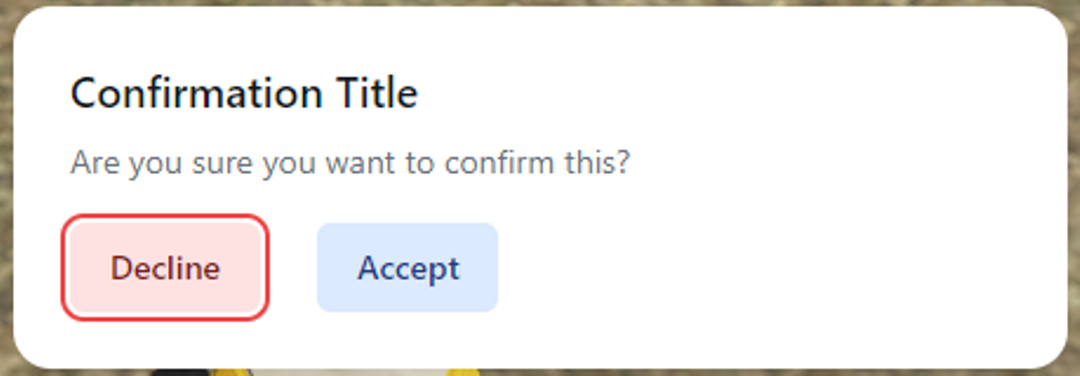
You can use dialog menu from client side using openModal exports. Example:
    exports['hud']:openModal('Confirmation Title', 'Are you sure you want to confirm this?',
    function()
        print('accepted')
    end, function()
        print('declined!')
    end)
The parameters are as follows:
| Arguments | Type | Optional |
|---|---|---|
| title | string | false |
| description | string | false |
| accept callback | function | false |
| decline callback | function | false |
Keyboard Input
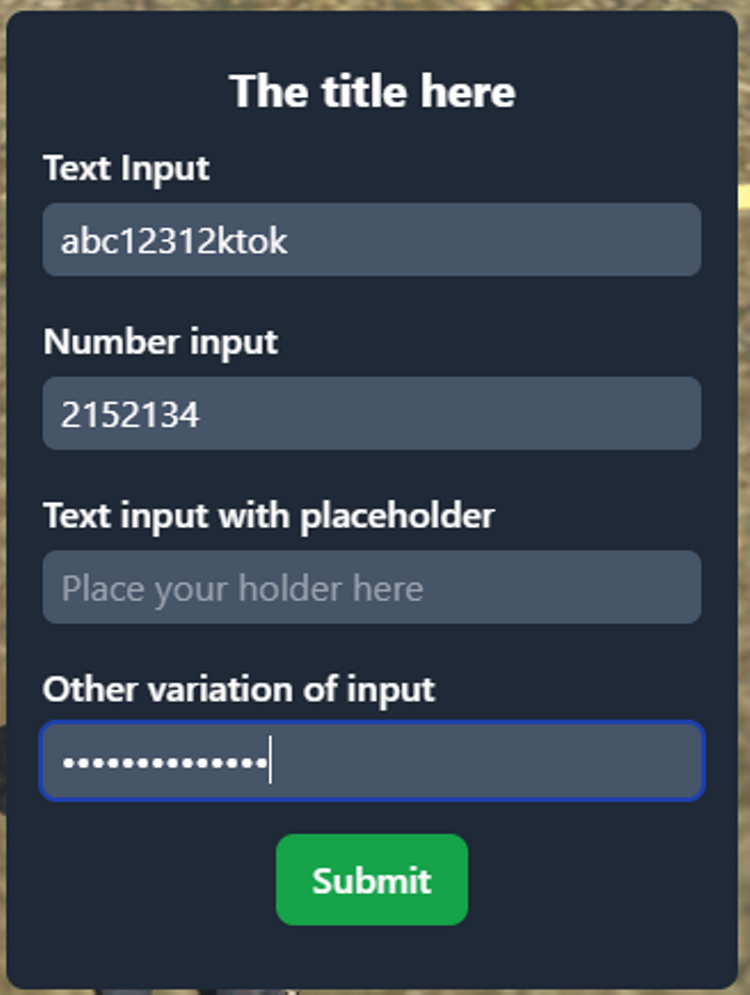
This feature is similar to nh-keyboard with a variation of input arguments.
You can use it with keyboard exports. Example:
    local result, row1, row2, row3, row4 = exports['hud']:keyboard('The title here', {
        {title='Text Input'},
        {title='Number input', type='number'},
        {title='Text input with placeholder', placeholder='Place your holder here'},
        {title='Other variation of input', type='password'}
    })
    print(result, row1, row2, row3, row4)
These are informations about the parameters and arguments that can be used:
| Parameters | Available Arguments | |||||||||||||||||||||
|---|---|---|---|---|---|---|---|---|---|---|---|---|---|---|---|---|---|---|---|---|---|---|
|
|
Acknowledgements
Credits to nerohiro (opens in a new tab) for Keyboard Input inspiration and a snippet taken.